
If your product needs to run for months on a coin-cell battery, stay readable in direct sunlight, or deliver rich video — no single display technology does all three well. E-Ink, LCD, and OLED aren’t just different price points on the same spectrum; they’re built on fundamentally different physical principles. Picking the wrong one doesn’t show up in the datasheet — it shows up later, as a battery life complaint, a glare problem in the field, or a BOM cost that’s hard to justify.
E-Ink is the only one of the three that holds an image without continuous power, which is why it’s the default choice for battery-powered or unattended devices. LCD is the general-purpose option — moderate cost, workable almost everywhere, but not optimized for any single extreme. OLED trades power efficiency for the best possible image quality, which is why it dominates premium screens but is rarely chosen for outdoor signage or always-on displays. The right pick depends on three questions: how the device is powered, where it’s deployed, and whether the content is mostly static or constantly changing.
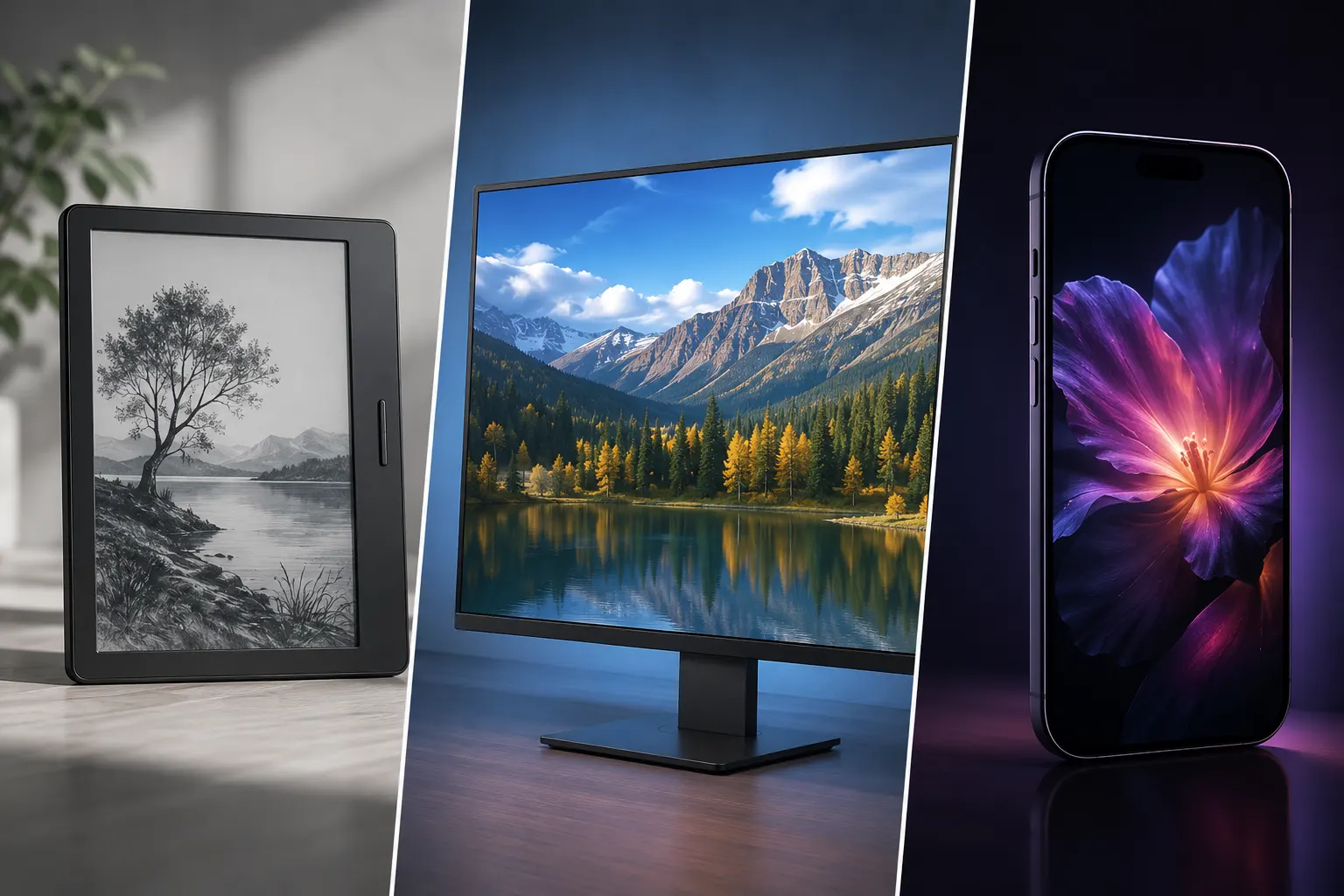
E-Ink vs. LCD vs. OLED: What’s Actually Different
The three technologies differ in how they produce an image, and that single difference cascades into almost every other trade-off — power draw, sunlight readability, refresh speed, and cost.
- E-Ink is a reflective, bistable technology. It doesn’t emit light; it reflects ambient light, the way ink on paper does. Once an image is written, the display holds it with no additional power until the next update.
- LCD uses a backlight shining through a liquid crystal layer that filters light to form an image. The backlight has to stay on for the screen to be visible at all, static or not.
- OLED is self-emissive — every pixel produces its own light, with no backlight layer. That’s what gives OLED its deep blacks and high contrast, but it also means every lit pixel is drawing power continuously.
One clarification worth making up front: E-Ink is not limited to black-and-white. Color E-Ink technologies — including E Ink Spectra 6 and Kaleido 3 — extend the same reflective, bistable principle to multi-color output, and they’re covered in their own section below.
Color E-Ink: Where Spectra 6 and Kaleido 3 Fit In
Most people picture E-Ink as strictly monochrome — a Kindle screen or a shelf label — but that’s no longer the full picture. Color E-Ink panels like E Ink Spectra 6 and E Ink Kaleido 3 keep E-Ink’s core advantages — reflective, bistable, near-zero static power — while adding multi-color output, which puts them in direct competition with LCD and OLED for signage and display use cases that previously ruled E-Ink out.
The trade-off is refresh time. Producing color on an E-Ink panel takes more particle movement than a monochrome update, so color E-Ink refreshes slower than monochrome E-Ink — still far from video-capable, but a real difference to plan around if your content updates frequently. In exchange, you keep the sunlight readability and power profile that make E-Ink worth choosing in the first place, in a use case — bright, vivid retail or wayfinding signage — that would otherwise have pushed you toward LCD or OLED.
Power Consumption: Why E-Ink Devices Last Weeks on a Single Charge
This is usually the first filter in a real selection process, and it’s also where the three technologies diverge the most sharply.
E-Ink only consumes power during a refresh. A static image — a price tag, a schedule board, a page of text — costs essentially nothing to maintain. This is why e-readers and electronic shelf labels can run for weeks or months on a small battery.
LCD and OLED both work differently. LCD’s backlight draws continuous power regardless of what’s on screen. OLED has no backlight, but because every visible pixel is self-emissive, a bright or content-heavy static screen can draw more power than a dim, mostly-black one — the opposite of what many people assume about “backlight-free” technology.
The practical implication: for anything that needs to sit in the field, on a battery, showing mostly-static content, E-Ink removes the display from the steady-state power budget. LCD and OLED don’t.
Sunlight Readability: Reflective vs. Emissive Displays
Readability outdoors isn’t just about brightness — it’s about how the display produces light in the first place.
E-Ink reflects ambient light, so stronger sunlight actually improves contrast rather than washing it out. LCD and OLED both rely on emitted light competing against the sun, which is why outdoor LCD signage typically needs a high-brightness backlight to stay legible — at the cost of higher power draw and more heat to manage. OLED faces the same competing-with-daylight problem, and because each pixel is self-emissive, pushing brightness up to fight glare increases both power consumption and long-term wear on that pixel.
Refresh Speed and Motion: Why E-Ink Can’t Do Video
It’s a common assumption that a “better” display should handle everything — text, graphics, and video equally well. In practice, refresh behavior is a design trade-off, not a quality gap.
LCD and OLED both refresh fast enough for smooth video and real-time interaction; that’s what they’re built for. E-Ink’s image is formed by physically repositioning pigment particles (or, in some technologies, switching liquid crystal states), which takes measurably longer — full-screen updates are visible and not appropriate for video or fast animation. Color E-Ink panels like Spectra 6 add another layer of particle movement to produce multiple colors, so they refresh slower than monochrome E-Ink — a factor worth planning around, though still nowhere near LCD or OLED refresh rates.
This isn’t a shortcoming to be fixed. It’s why E-Ink — monochrome or color — is matched to static or slowly-changing content — pricing, schedules, wayfinding, retail signage — and why LCD or OLED remain the right call whenever the content itself is dynamic.
Cost, Longevity, and Risk
Each technology carries a different long-term cost profile, and a different failure mode to plan around:
- LCD has the lowest upfront cost thanks to mature, high-volume manufacturing, but backlight aging and heat management become factors to design around over long deployments.
- OLED costs more per panel and carries a specific risk for signage-type use: static content left on screen for extended periods can cause uneven pixel wear (“burn-in”), which is one reason OLED is far more common in personal devices with varied content than in always-on public displays.
- E-Ink has a higher unit cost than commodity LCD, but because it draws power only on update, the total energy and battery-replacement cost over a multi-year deployment is often lower — an advantage that only shows up if you’re looking at lifecycle cost rather than BOM price alone.
Which Display Technology Fits Your Application?
| E-Ink (mono) | E-Ink (color — Spectra 6, Kaleido 3) | LCD | OLED | |
|---|---|---|---|---|
| Light source | Reflective (ambient) | Reflective (ambient) | Emissive (backlight) | Emissive (self-lit pixels) |
| Power when static | Near zero | Near zero | Continuous | Continuous, content-dependent |
| Color output | Grayscale only | Multi-color | Full color | Full color, widest gamut |
| Sunlight readability | Improves in bright light | Improves in bright light | Needs high backlight | Competes with daylight |
| Refresh speed | Slow — not for video | Slower than mono E-Ink — not for video | Fast — real-time capable | Fast — real-time capable |
| Main risk | Not suited to motion content | Not suited to motion or fast updates | Backlight aging, glare | Burn-in on static content |
| Best fit | Labels, e-readers, low-power text displays | Color retail/wayfinding signage, large-format displays | General-purpose screens, dashboards | Premium, media-rich, frequently-changing content |
As a starting rule: if the device is battery-powered, deployed outdoors, or shows mostly static information, E-Ink is the default. If you need continuous, real-time content on reasonable cost and power, LCD is the practical choice. If visual quality and media richness matter more than power budget or outdoor readability, OLED wins.
For the first case specifically — color content that still needs to be power-efficient and sunlight-readable, like retail or wayfinding signage — MyGica’s 31.5″ EPC3200, built on a genuine E Ink Spectra 6 panel, is a practical example of where color E-Ink now covers ground that used to default to LCD.
Where This Shows Up in Real Deployments
In practice, these technologies rarely compete head-to-head within the same product — they get assigned to the part of the system that matches their strengths. Retail and transportation signage that needs color and updates a few times a day is a natural fit for color E-Ink rather than LCD, for the same readability and power reasons covered above. Reading-focused, always-on devices — e-readers, desktop reading displays, and similar low-update-frequency products — apply the same logic at a smaller scale: low eye strain, no backlight glare, and battery life measured in weeks rather than hours.
If you’re not sure which category your use case falls into, it’s worth reading how e-paper differs from E Ink as a brand and, if color is a requirement, how EPD compares to ChLCD — both affect which specific panel makes sense once you’ve settled on the broader display category.
Frequently Asked Questions
Can E-Ink displays show video or animation? Not effectively. E-Ink’s refresh is driven by physically moving pigment particles, which is inherently slower than LCD or OLED’s electronic switching. It’s built for static or infrequently-updated content, not motion.
Does OLED burn-in matter for digital signage? It can. Signage often displays the same layout — logos, fixed text, navigation bars — for extended periods, which is exactly the condition that causes uneven OLED pixel wear. This is a major reason OLED is uncommon in always-on public signage compared to LCD or E-Ink.
Is LCD actually cheaper than E-Ink in the long run? Usually cheaper upfront, not always cheaper over the product’s life. In battery-powered or hard-to-access deployments, E-Ink’s near-zero static power draw can reduce battery replacement and maintenance costs enough to offset the higher panel price — the comparison depends heavily on deployment length and access difficulty.
Which one is best for outdoor use? E-Ink, in most cases. Its reflective design means brighter ambient light improves rather than hurts readability, and it doesn’t need a high-power backlight to stay visible outdoors the way LCD does.
Is E-Ink only black and white? No — that’s true of older or budget E-Ink panels, but color E-Ink technologies like E Ink Spectra 6 and Kaleido 3 produce multi-color output while keeping E-Ink’s reflective, low-power behavior. The main trade-off is a slower refresh than monochrome E-Ink, not a loss of the power or sunlight-readability advantages.