
Whether you need a TCON depends on the panel you have. A bare panel usually needs a TCON or a matching driver board. A module with a built-in driver IC can be driven by the host directly. Identify the panel first, then choose the host and, where needed, the TCON, as one solution. A solution is a combination of a host board and, where the panel needs one, a TCON.
This guide walks through the choice in order. It is written for OEM engineers and system integrators building a product around an e-paper panel. The examples come from MyGica’s own host boards and U-TCON.
What a TCON Does
A TCON (timing controller) generates the timing and data signals that an e-paper panel needs. It also manages the waveform, which tells the panel how to change each pixel, and often handles voltage and temperature compensation. On large panels, these tasks are too complex for a host microcontroller to do directly.
In MyGica’s design, the TCON connects to the host board over SPI. The host decides what to show, and the TCON handles how the panel updates. For more, see E-Paper TCON boards explained.
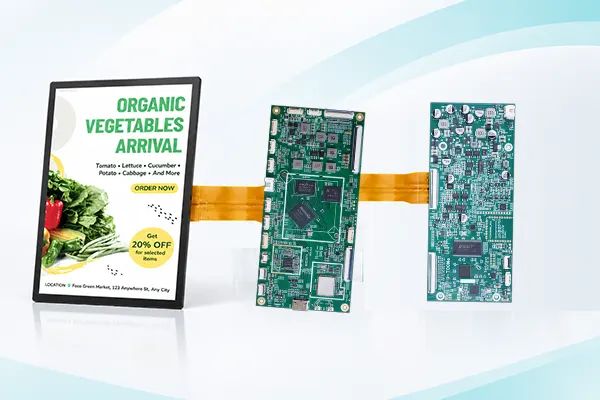
Step 1: Identify what kind of panel you have
The form of the panel decides whether you need a separate TCON.
- Bare panel (glass and flex cable, with source and gate lines): usually needs a TCON or a driver board from the panel maker. A host microcontroller cannot drive it directly.
- Module with a built-in driver IC: has a ready interface such as SPI, I2C or a parallel bus. The host sends commands directly, so no separate TCON board is needed. The driver IC still contains the timing logic, but it is not a separate board.
- Large-format, color and high-refresh panels: usually come with a required TCON or matching driver board, because waveform, voltage, timing and temperature compensation are complex.
The safest check is the panel datasheet. Look at the flex cable definition. If it gives an interface the host can connect to, such as SPI, I2C or a parallel bus, the host can drive the panel. If it lists only source and gate lines, you need a TCON.
Step 2: Note the control interface
The control interface describes how data reaches the panel. The common ones are SPI, TTL and Mini-LVDS. Mini-LVDS is common on larger color panels.
The interface alone does not tell you whether you need a TCON. The panel form does. Use the interface to narrow down which boards can connect to your panel, then confirm in the datasheet.
Step 3: Choose the host: MCU board or main board
The host decides what your product shows and when.
- MCU board: suits products that show a fixed or simple set of images and need little processing.
- Main board: suits products that need more, such as running software, networking or remote content updates.
If you are unsure, ask what the product must do without a person nearby: update on its own, connect to a network, or only show stored images.
Step 4: Match a solution
This table shows the solutions MyGica has already developed and tested.
| Panel size | Panel | Control interface | Solution |
|---|---|---|---|
| 10″ | E Ink Spectra 6 | TTL | MCU board |
| 10″ | E Ink Spectra 6 | TTL | MCU board + TCON |
| 13.3″ | E Ink Spectra 6 | SPI | MCU board |
| 13.3″ | E Ink Spectra 6 | SPI | Main board |
| 13.3″ | Monochrome | TTL | Main board + TCON |
| 15.6″ | Color e-paper | Mini-LVDS | Main board + TCON |
| 20.3″ | Color e-paper | Mini-LVDS | Main board + TCON |
| 25.3″ | E Ink Kaleido 3 | Mini-LVDS | Main board + TCON |
| 25.3″ | E Ink Spectra 6 | Mini-LVDS | Main board + TCON |
| 28″ / 28.5″ | E Ink Spectra 6 | Mini-LVDS | Main board + TCON |
| 31.2″ | Monochrome | TTL | Main board + TCON |
| 31.5″ | E Ink Spectra 6 | SPI | Main board + power board |
| 31.5″ | E Ink Spectra 6 | SPI | MCU board |
| 42″ | Monochrome | TTL | Main board + TCON |
The same host board can drive panels of very different sizes, as long as the panel and interface match. The same panel size can also use different solutions, depending on the host you want. For finished displays that already include the right solution, see our e-paper displays.
Step 5: Add a TCON when the panel needs one
If your panel needs a TCON, MyGica’s U-TCON covers these needs:
- Panels: color e-paper from 15.6″ to 28.5″, including E Ink Spectra 6 and E Ink Kaleido 3 (25.3″)
- Mini-LVDS: two-interface panels under 40″, and three-interface panels of 40″ and above
- VCOM: both DC VCOM and AC VCOM drive
- Image loading: over USB and over SPI
- Storage: an optional 32 MB flash, which can be sized to the number of images you need to store, and an onboard MCU
Always check these against your panel’s datasheet. A matching size does not guarantee a matching drive method.
Step 6: Other things to check
- Image storage and loading. Images can be stored on the host, or on the TCON’s flash. The flash helps when the product shows a fixed set of images, or has to keep working without the host. Loading over USB suits development and small runs. Loading over SPI suits a host that updates the TCON itself.
- Board size and thickness. The U-TCON measures 65 × 154 mm, with a PCBA thickness under 8 mm and a slimmer option under 5.5 mm. A thinner board matters in a slim monitor or signage frame.
Selection checklist
| Question | What to confirm | Why it matters |
|---|---|---|
| What kind of panel is it? | Bare panel, or module with a driver IC | Decides whether you need a TCON |
| Which panel and size? | Technology and model | The solution must support the exact panel |
| Which control interface? | SPI, TTL or Mini-LVDS | Narrows which boards can connect |
| Which host? | MCU board or main board | Defines what the product can do on its own |
| Which VCOM method? | DC or AC | The panel must be driven correctly |
| Where are images stored? | Host or TCON flash | Affects startup, updates and resilience |
| Does it fit? | Board size and thickness | Avoids a redesign |
Evaluating a solution
The fastest way to avoid surprises is to test the real solution: your panel, a host board and a TCON if needed. Contact MyGica with your panel model, size and the host you have in mind. We can recommend a solution. You can also browse our TCON and controller boards.
Frequently Asked Questions
Do I need a TCON for an e-paper panel?
It depends on the panel. A bare panel usually needs a TCON or a driver board from the panel maker. A module with a built-in driver IC can be driven by the host directly. Large-format, color and high-refresh panels usually need a matching TCON or driver board. Check the panel datasheet.
How does a TCON connect to the host?
In MyGica’s design, over SPI. The host sends the image data, and the TCON drives the panel.
What is the difference between an MCU board and a main board?
An MCU board suits simple products that show a fixed or limited set of images. A main board suits products that run software, connect to a network, or need remote content updates.
Can one controller board drive any e-paper panel?
No. A board works with specific panel types, sizes and interfaces, so the panel and the solution have to be chosen as a pair.
What is the difference between an e-paper panel and a controller?
The panel forms the image. The controller tells the panel when and how to update. For the panel technologies themselves, see color e-paper technologies.