
If you’ve noticed a price tag, transit sign, or e-reader screen that looks like ink on paper — no glow, readable in direct sunlight, seemingly not using any power — you’ve run into electronic paper. It’s easy to assume it’s just “a low-power LCD,” but the underlying technology is fundamentally different, and that difference is exactly what makes it the right choice for some displays and the wrong one for others.
What Is Electronic Paper (E-Paper)?
Electronic paper (e-paper) is a reflective display technology that forms images using charged particles or similar physical elements, rather than emitting light through a backlight. Once an image is set, it stays on screen using little to no additional power — which is why e-paper shows up in e-readers, shelf labels, and outdoor signage rather than phones or TVs. The trade-off is refresh speed: e-paper is built for content that changes occasionally, not video or fast-moving interfaces.
How Electronic Paper Works
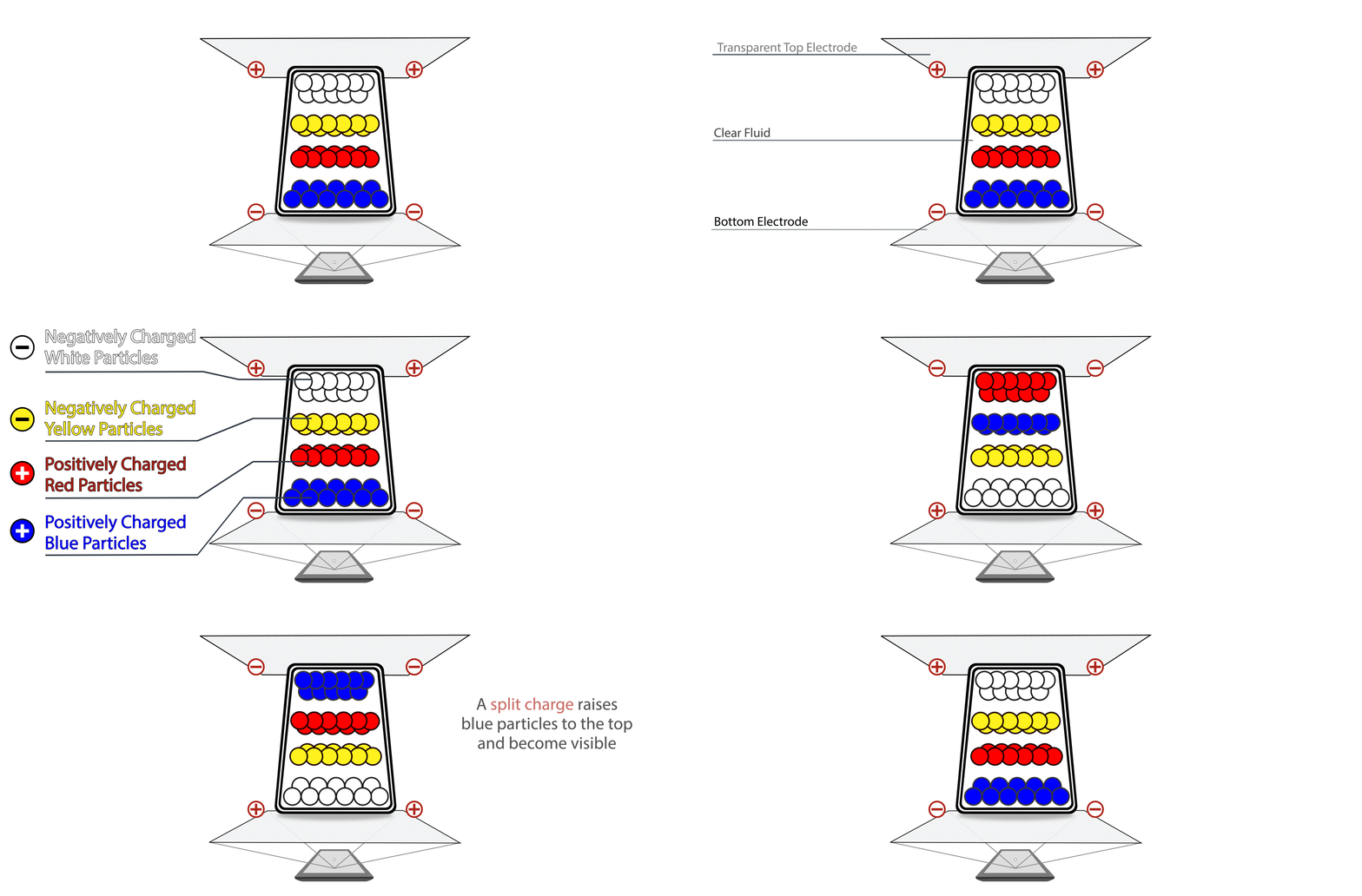
Most e-paper technology, including E Ink’s widely used panels, relies on electrophoretic display (EPD) technology. Millions of microcapsules — each containing charged black and white (or colored) particles — are suspended in a fluid layer. When an electric field is applied, the particles move to the top or bottom of each capsule, forming the image.
The key property this produces is bistability: once particles are in position, they stay there without continuous power. A static image — a price, a schedule, a page of text — costs essentially nothing to maintain. Power is only drawn when the image actually changes. That single property is the root of almost everything e-paper is good at, and almost everything it isn’t.
For a deeper breakdown of related terms — refresh modes, grayscale, ghosting, and more — see the e-paper glossary.
Because of how it’s built, e-paper offers a specific combination of properties that’s hard to replicate with backlit displays:
- Low power consumption — bistability means static content costs almost nothing to maintain, which is why e-paper devices can run for weeks on a small battery.
- Sunlight readability — as a reflective display, it uses ambient light instead of competing with it, so brighter conditions actually improve contrast rather than washing it out.
- Eye comfort — no backlight and no flicker make it closer to reading printed paper, which matters for devices meant for extended reading.
- Wide viewing angles — the reflective surface looks consistent from off-angle viewing, without the color or contrast shift some LCDs show.
Where E-Paper Falls Short
E-paper isn’t a universal upgrade over LCD or LED. It has real, specific limitations worth knowing before you specify it for a project:
- Refresh rate — updates are visibly slower than LCD or OLED, which rules out video or fast-moving interfaces.
- Color range — even with color technologies like E Ink Spectra 6, e-paper’s color palette and gradient smoothness don’t match LCD or OLED.
- Unit cost — panel cost is typically higher than commodity LCD, though that gap often closes over a multi-year deployment once you account for power and maintenance.
E-Paper in Everyday Devices
Beyond signage and e-readers, e-paper has expanded into products people interact with daily:
- Desktop monitors — used as a secondary display for reading, writing, and coding-focused work. See our guide on using an e-ink monitor for desktop work.
- Interactive whiteboards — combining e-paper’s paper-like writing feel with digital note-taking for classrooms and meeting rooms. See E-Ink Whiteboard vs Traditional Interactive Whiteboard for the trade-offs.
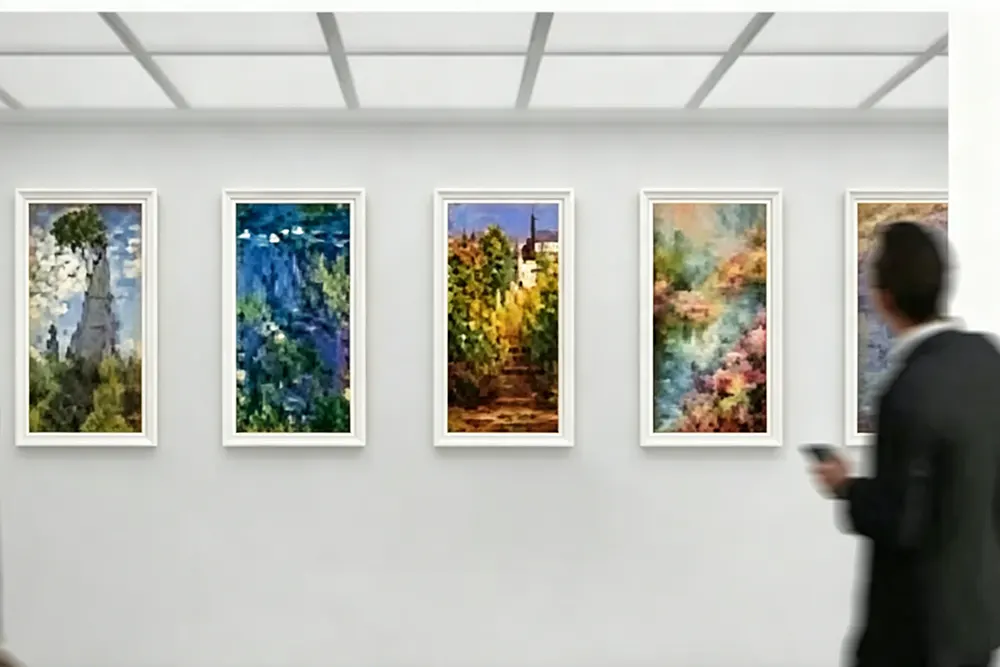
- Photo frames — always-on displays that hold a static image without draining a battery.
Each of these leans on the same core property covered above — bistability — applied to a different everyday use case.
E-Paper vs. LCD vs. LED: Which One Do You Need?
| Feature | E-Paper | LCD | LED |
|---|---|---|---|
| Power Consumption | Ultra-low (update-only) | High (continuous) | High (continuous) |
| Sunlight Readability | Excellent | Poor | Moderate |
| Video Capability | Limited | Excellent | Excellent |
| Eye Comfort | High | Medium | Low |
| Always Visible Without Power | Yes | No | No |
The short version: if your content changes constantly and needs to move, LCD or LED wins. If your content is mostly static and needs to run on limited power in variable lighting, e-paper wins. For a deeper look at that trade-off specifically for battery-powered and low-power systems, see E-Paper vs. LCD for Low-Power Systems. And if you’re not sure which category your actual use case falls into, Content Display vs. Information Display walks through how to tell the difference before you pick a technology.
A Good Fit: Smart Transit Displays
Public transit systems are one of the clearest examples of e-paper solving a problem LCD can’t solve economically. A bus stop or platform sign needs to be legible in direct sunlight, run on limited or solar power at unpowered stops, and update only a handful of times a day — schedule changes, service alerts, arrival estimates. That’s close to a textbook case for e-paper’s strengths and a mismatch for LCD’s.
MyGica’s e-paper bus stop signs are built around exactly this profile: solar-compatible power design and sunlight-readable reflective panels for outdoor transit deployments where running power to every stop isn’t practical.
Frequently Asked Questions
Is e-paper the same as e-ink?
Not quite — e-paper is the general category of reflective, bistable display technology, and E Ink is one (very common) company’s brand of panel within that category. E Paper vs. E Ink explains the distinction in more detail.
Why can’t e-paper play video?
Its image is formed by physically moving particles (or switching liquid crystal states in some variants), which is inherently slower than the electronic switching LCD and OLED use. That’s a deliberate trade-off for power efficiency, not a defect.
Is e-paper worth the higher upfront cost?
Usually in battery-powered, remote, or high-visibility-update deployments — cases where LCD’s continuous power draw or replacement/maintenance costs would exceed e-paper’s higher panel price over the product’s lifespan. For a single static indoor sign that rarely changes, the case is weaker.
Can e-paper display color?
Yes, though color range is more limited than LCD or OLED. Technologies like E Ink Spectra 6 extend e-paper into color signage while keeping its low-power, reflective behavior.